
Notes on Building a Markdown Editor
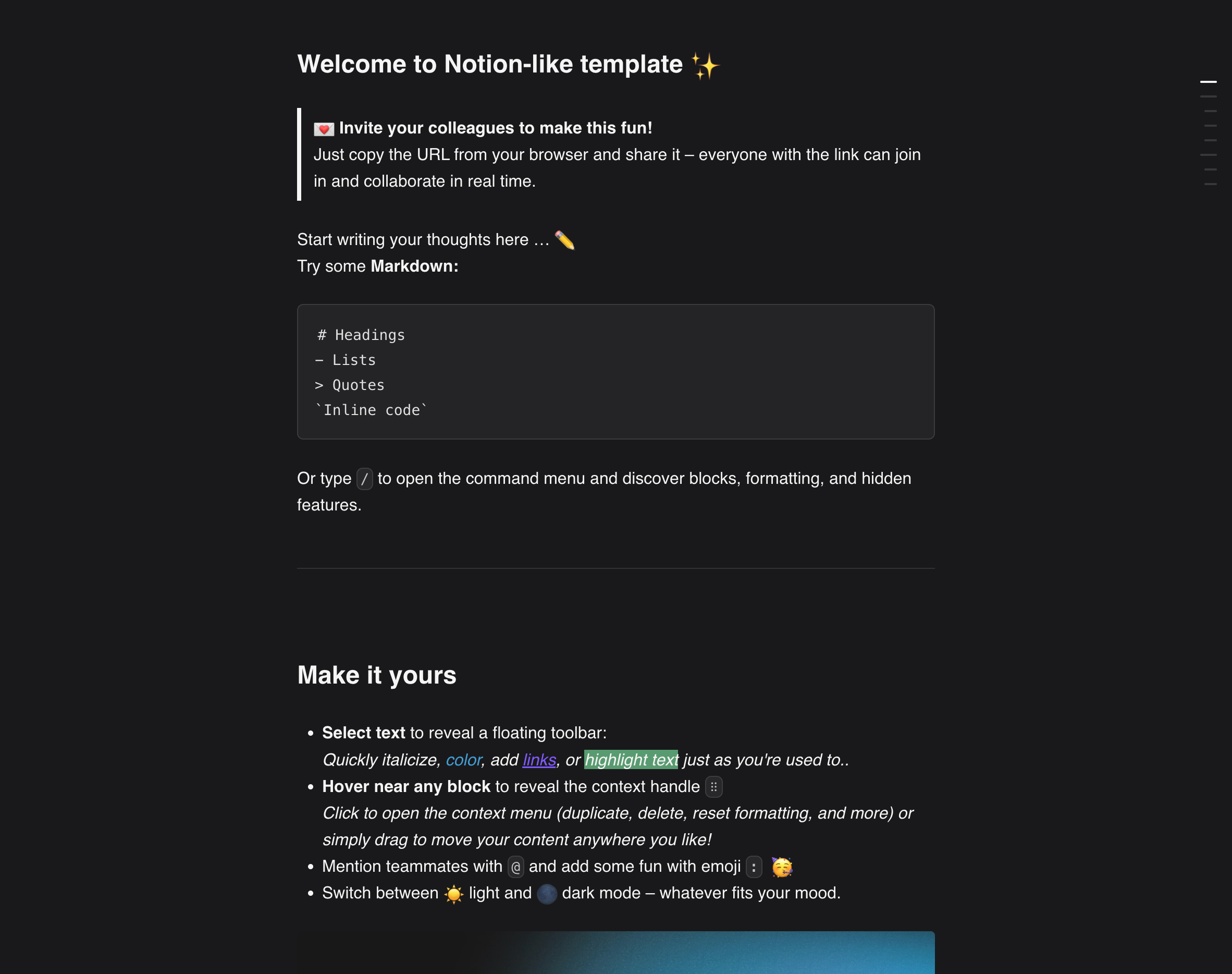
Building Zima Folio brought us face to face with a deceptively difficult problem: the Markdown editor.
Anyone who has worked on one knows it is not just a text box. Products and platforms interpret Markdown differently, and their extended syntax rarely lines up perfectly. Tables, task lists, footnotes, equations, callouts, and the rich-media blocks that give products like Notion their character all demand deliberate product decisions.
Then there are the tensions inherent in a what-you-see-is-what-you-get interface: cursor and selection behavior, cleaning up pasted content, completing syntax as you type, keeping the editor and exported document consistent, and parsing and rendering complex documents. None of this is solved by a little vibe coding or by copying someone else's implementation.
This is a record of the engineering, product, design, and commercial questions my engineering team and I encountered while building the Markdown module for Folio, a local-first knowledge base for teams. I will cover four questions:
- Is Markdown really the right format for everyday knowledge workers and teams to create and work on content together?
- Should we build an editor from scratch or use an open-source project?
- How can the wider system help the editor avoid problems it was never meant to solve?
- Beyond Markdown, what would a workspace genuinely friendly to both people and AI look like?
1. Designing for Everyday Knowledge Workers and Teams
Imagine asking people who spend their days in Teams and Slack, working with Microsoft Office or Google Docs, to switch to Markdown. The adjustment is real; I felt it myself. You have to learn shortcuts, get used to the difference between source and rendered views, and put up with friction around something as basic as inserting an image.
AI-Friendly Is Not the Same as Organization-Friendly
AI and agents have given this old format a new role. Markdown was created in 2004 by John Gruber, with help from Aaron Swartz. Its original purpose was not to serve AI; it was to make the same text pleasant for people to read and straightforward for software to process. When Anthropic launched Claude Code on February 24, 2025, CLAUDE.md turned a Markdown file into a durable collaboration surface: written by a person, read and acted on by AI. OpenAI's AGENTS.md, agent skills, and other project instruction files later followed a similar pattern. Markdown's structure is stable, and it is simpler and cheaper in context than HTML. Both a person and a language model can read the same file directly, without the translation layer of a Word document's WYSIWYG interface.
So Markdown has genuine advantages for people and language models alike. But once a person works inside an organization, the tools they use are shaped and constrained by that organization's rules.
As a designer, I felt the leap in experience when I moved from Adobe tools to Figma. Yet in print production, Adobe Illustrator or InDesign may still be the required platform and final deliverable, alongside older formats such as CorelDRAW. The same is true of Word, PowerPoint, Excel, or Feishu Docs in a modern workplace: they are products of a shared workflow, not of one person's preference. Unless you own the organization and can define its process and deliverables, your personal preference has limited force.
In my own organization, I initially used Obsidian to manage documents and knowledge, and Claudian helped me refine PRDs. In practice, I still had to copy finished Markdown into Feishu Docs, or ask AI to do it, because Feishu was the last mile of collaborative delivery.
A Format Is Valuable When People Can Actually Use It
From that perspective, Markdown looks less attractive in organizational work. Collaboration is harder, there is a learning curve, and raw markup is not especially inviting to read. More importantly, Markdown is not a universal delivery format. You cannot simply send an MD file to a client or your boss. Before you even find out whether they can open it, they may ask, “What is this?” Status quo bias plays a large part here; I discuss my own understanding of that bias and our attachment to familiar ways of working in another essay.
What, then, is the right workflow for ordinary users? To me, delivery should prioritize the content, not allegiance to a format. This is not a defense of Markdown at any cost. Content is the point, and format is its container. But the container determines whether that content can reach someone at all: can they open it, want to read it, understand it correctly, take it seriously, and continue working with it? Those are the jobs a format has to do.
At this point, cloud collaboration tools such as Google Workspace, Microsoft 365, and Notion already offer compelling ways to work. Each platform governs its own document model rather than relying on one universal format, while allowing exports when needed. That covers most work, learning, and research. Yet some users, particularly those who care deeply about privacy and data security, still collaborate in the most rudimentary way: edit a local Word document, send it to the next person, wait for their changes, and have it sent back. The experience is poor, and it leaves difficult questions unanswered. How do you review editing history? Govern a document library as a team grows? Handle comments and annotations? Folio aims to provide an end-to-end way to deliver and collaborate on documents, not merely another Markdown editor.
Folio's Choice: Markdown as the Content Foundation
Our product team wants Folio to be a young person's first fully local knowledge base and data hub. Running your own infrastructure should not be a privilege reserved for giant companies; anyone should be able to have a server that is genuinely theirs. We therefore kept Markdown as Folio's preferred content format, while making sharing and collaboration as simple as sending a URL to a cloud document. That includes sharing over a local network, peer-to-peer access through specialized networking approaches, and authorization built on role-based access control (RBAC) and modular OpenID Connect (OIDC).
2. Open Source Is a Great Way to Run a Proof of Concept
At its heart, a startup finds a need, creates value, and builds a way to keep capturing that value under profound uncertainty. Its scarcest resource is often not technical capability but time to test whether an opportunity is real. A proof of concept is not there to show that we can build a product. It should answer a more important question as cheaply as possible: is this product worth building at all?
The Case for Building It Ourselves—and the Conditions It Requires
Early in the project, my engineering team and I disagreed about the editor's technical direction. The engineers favored studying the architecture of open-source projects while implementing the core editor ourselves. The benefits were clear: we would own the underlying data structures, system resources, plugin mechanism, and path of future development, without finding ourselves constrained by a third-party framework later on.
That may well be the safer long-term route. The problem was timing. We had not yet validated Folio's central assumptions. Would ordinary users manage team knowledge in a fully local environment? Did they actually need people and AI to collaborate around the same Markdown files? Would URL-based local sharing, permissions, and access across devices persuade them to change their existing document workflow?
Until we had answers, spending months building an editor from scratch would have used our most expensive tool to test the least important question. We might have proved only that we could build a Markdown editor—not that people wanted a local collaborative workspace with Markdown at its core.
Validate the Value First; Keep the Door Open to Building Later
We should not build from scratch to validate a problem someone has already solved. The order matters: test the product's value first, then ask whether building the underlying editor ourselves is necessary.
An open-source framework does not eliminate costs; it often postpones them. Editors bring their own document models, state management, plugin systems, and rendering logic. After enough customization, a framework that once accelerated the team can become an invisible boundary around the product. A good choice therefore depends on more than an attractive demo or a long feature list. It must also fit the data structures the product will need over time. We can use open source to test the product while keeping the system boundaries clean enough to build our own editor later. A good proof of concept is not a miniature final product. It is the cheapest, fastest experiment capable of disproving a critical assumption.
3. Let the System Do What Markdown Cannot
Let Markdown Be a Content Format
Markdown describes relationships among headings, paragraphs, lists, links, and images. It does not know who created a file, who may edit it, which version came before, or whether a change was made by a person or an AI. If we force permissions, collaboration, version history, and status into Markdown syntax or frontmatter, we risk ending up not with a stronger open format but with a proprietary one that only Folio can interpret. That would undermine Markdown's greatest strength—its portability—and burden the editor with responsibilities it was never designed to carry.
Our current approach is to let Markdown do what it does best: remain a stable, open content source that both people and AI can read directly. ZimaOS system services handle permissions, history, identity, and collaboration. The editor governs how an edit is made; the system decides whether it is allowed, who initiated it, what was written, and whether the earlier state can be restored if something goes wrong. If we replace the editor framework later, the files, permissions, and history do not have to be rebuilt with it.
RBAC and a Virtual File System as the Foundation
Folio already has an RBAC permission system. It identifies users who open local documents through a URL and determines which content they can view, edit, share, or manage. That gives future comments, reviews, external collaborators, and AI agents a common identity and authorization foundation. We are also building a virtual file system: a manageable layer between real files and the applications above them. People can keep working with familiar folders and Markdown files, while the system records creation, moves, and edits, makes snapshots, and retains versions. If a user makes a mistake or an AI rewrites large parts of a document, they can compare before and after and return to a known state. Capabilities that seem, at first, to belong in the editor can live somewhere more appropriate. Any text editor can still open the Markdown files, and those files survive outside Folio. Inside Folio, they gain collaboration and governance capabilities closer to those of cloud documents.
Making AI Changes Reviewable and Reversible
This matters especially for collaboration with AI. Undo and redo in a conventional editor mostly address mistakes one user makes within a single session. An agent may change several files over a much longer period, sometimes while nobody is watching. If the system retains only the final files, it is hard to understand what the AI did or safely undo just part of it. Snapshots and operation logs can turn an AI task into a set of changes that people can inspect, compare, and reverse. “Let AI edit my knowledge base” no longer has to mean granting an irreversible permission.
This has also changed how we think about the editor. It does not have to become a complete document product on its own. Many things we call “editor experience” really come from the file system, identity, versioning, and collaboration services behind it. Rather than packing more proprietary features into an open-source editor, we can keep the editor light and build the capabilities that determine the product's ceiling at the system level. Folio is not trying to make a Markdown editor with the longest feature list. It is trying to give ordinary local files capabilities that used to be available only in cloud documents.
4. Designing a Workspace Around Human Reading Capacity
Anyone who has asked AI to write a document probably recognizes the pattern. At first it is astonishing to get a neatly structured draft in seconds. After reading a few, you notice how often they are needlessly long. The headings are right, the lists are tidy, and the argument appears complete, yet the same points recur in sentences that add little. AI is very good at continuing to write; it is less good at knowing when a document should end. It optimizes for the appearance of completeness, while a reader's time and attention remain finite.
You can ask for concision in a prompt, but that does not solve the underlying problem. Give AI a blank document and a broad goal, and you have not told it what information must be present, what can be omitted, who will read it, or what the reader needs to do afterward. Without those constraints, it expands into the most familiar article structure it has seen in training: a piece that seems to cover everything but leaves little worth remembering. The issue is not simply that AI cannot write well. We are still asking a blank canvas built for free-form writing to carry increasingly structured work. Skills can address part of that mismatch, but they do not expand the human capacity to read.
Much of the writing people do at work is not free-form to begin with. Consider using Google Docs to develop a course. The title, learning goals, intended audience, outline, lesson length, exercises, and assessment criteria all have a fairly stable structure. Yet because the work lives in a general-purpose document, authors arrange it according to personal habit: one starts with background, another jumps straight to the outline, and someone else scatters exercises through the prose. A reviewer must then pull everything back into a common format. Once course designers, instructors, subject experts, and reviewers are involved, the collaboration challenge is no longer just whether they can edit at the same time. Each person needs to know what they are responsible for contributing, and the next person needs to be able to use what the previous one left behind.
From Writing Templates to a Structured Workspace
A better approach is to turn a template from a writing suggestion into a structure the workspace actually understands. The system could offer consistent templates for courses, PRDs, research reports, and meeting notes, defining required fields, field types, length limits, and relationships among them. A course designer supplies goals and audience; an instructor develops the lessons; a subject expert checks the material; a reviewer approves its readiness. AI fills gaps, rewrites, or checks the work according to the current role and the fields still missing. Everyone works from the same content source, but each person focuses on the part that concerns them instead of facing an endless blank page.
The point is not to turn all writing into a rigid form. It is to give free-form work useful boundaries. Titles, summaries, and conclusions can have length limits; a chapter can require a clear learning objective; an action item can require an owner and a date; a citation can point to its source. The body remains editable, but AI is no longer encouraged to “write a complete document” in one go. It works on specific content units. Once the structure is clear, AI is most useful for spotting omissions, removing repetition, making expression consistent, and connecting context—not for adding paragraph after paragraph to demonstrate that it has finished the task.
Different roles may not even need to see the document in the same form. A manager may care only about the summary, risks, and decisions to make. A writer needs the full text and change history. A reviewer needs differences, sources, and status. AI needs content data with a structure it can parse reliably. The underlying Markdown can remain a single source, while the workspace arranges it into different views for different roles, using collapsible sections, summaries, fields, and status to keep irrelevant information out of the way. A workspace designed around human reading capacity does not ask AI to produce more and people to struggle through it. It starts by accepting how limited our attention is, then helps decide what should be written, what deserves to be seen first, and what need not appear at all.
An environment truly friendly to both people and AI should therefore be more than an editor with a chatbot bolted to the side, prompting users to ask for “a little more” or “another version.” It should work more like a protocol for producing content: templates define structure, roles define responsibility, permissions govern actions, versions record change, and AI contributes within those boundaries. The goal is no longer to maximize how many words AI can produce in one pass. It is to help a team consistently create reusable content that moves work forward—with less reading and less back-and-forth.